
.png)
Description
Download Wacht TV – Free Music Video Curation Community
Overview
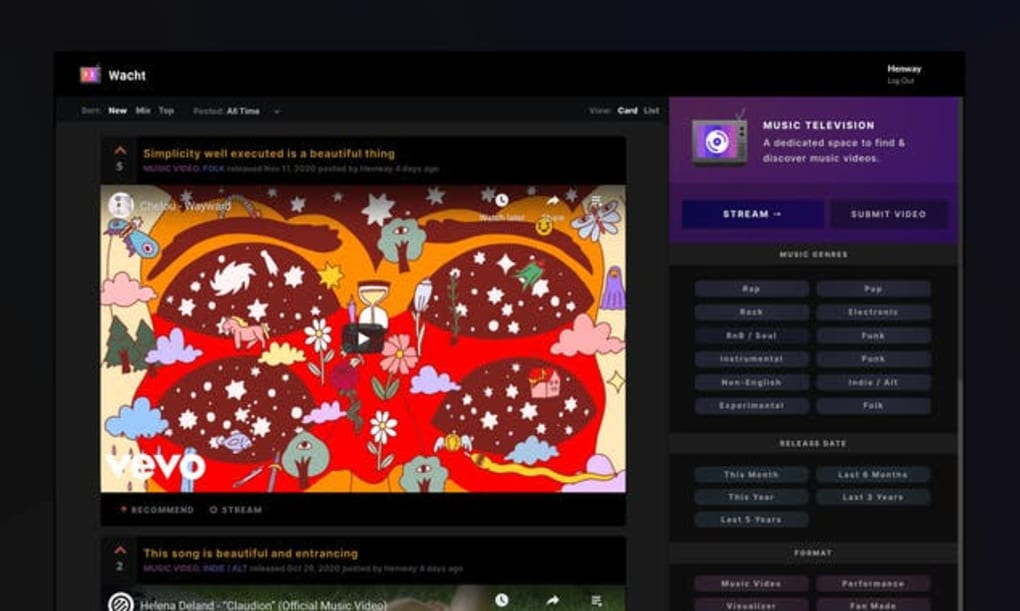
Wacht.TV is a free video‑streaming web app that brings together music lovers who want to discover fresh, high‑quality music videos without the noise of unrelated content. Think of it as a hybrid between Reddit’s community‑driven voting system and YouTube’s massive library of official music videos. Users submit YouTube links, vote them up or down, and curate a constantly refreshed feed of tracks that range from mainstream hits to hidden gems in niche genres. The platform’s clean, card‑or‑list layout lets you toggle between visual previews and compact lists, making it easy to skim through new recommendations or dive deep into a “Top” playlist. Wacht.TV also offers a “TV Mode” that mimics the classic MTV experience, allowing you to cast the curated stream to a television for a hands‑free listening session. Because the service only accepts direct YouTube music video URLs, you’re guaranteed that each entry includes full audio, official visuals, and often lyrics or behind‑the‑scenes footage. The site’s simple registration process means you can start submitting and voting within minutes, while the lack of threaded comments keeps the focus squarely on the music itself. In short, Wacht.TV is an intuitive, community‑powered discovery tool that cuts through YouTube’s algorithmic rabbit hole and puts the power of curation back in the hands of listeners.
Key Features & How to Get Started
Feature List
- Community‑voted music video recommendations sourced exclusively from YouTube.
- Three sorting modes – New, Mix, and Top – with customizable time frames.
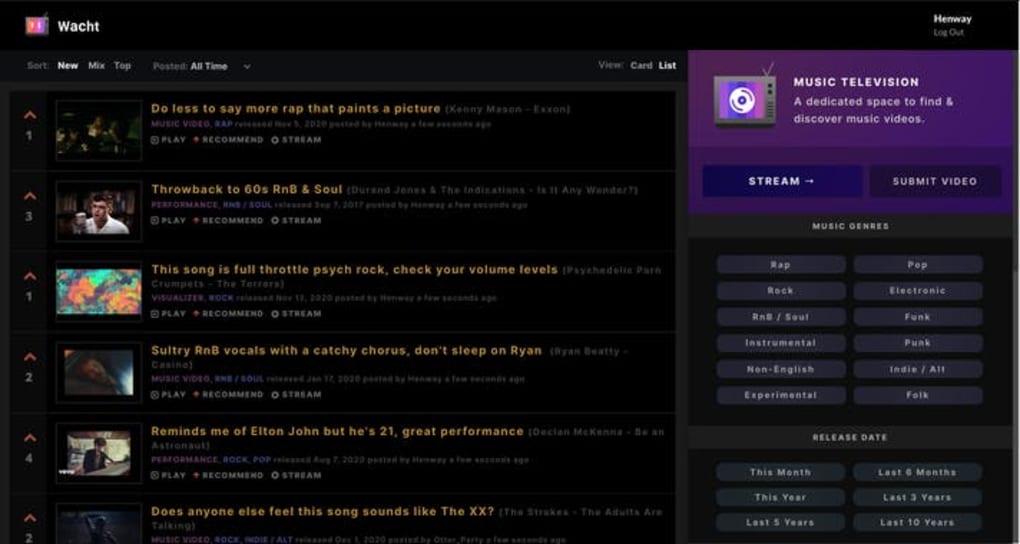
- Card view for visual browsing and List view for compact scanning.
- Tag‑based filtering on the right‑hand sidebar for genre, mood, and era.
- “TV Mode” for a continuous, TV‑like playback experience that can be cast to any screen.
- Simple Reddit‑style upvote/downvote system that surfaces the most popular tracks.
- Responsive design works on desktop browsers, tablets, and mobile devices.
- No invasive ads; the platform relies on community engagement rather than pay‑walls.
Installation & Usage Instructions
Getting started with Wacht.TV is as straightforward as visiting the website. No download or installation is required; the app runs entirely in modern browsers that support HTML5 and JavaScript. Follow these steps for a seamless experience:
- Open your preferred browser (Chrome, Firefox, Edge, Safari) and navigate to https://wacht.tv.
- Click the “Sign Up” button in the top‑right corner. You can register using an email address or link a Google account for quicker access.
- Once logged in, you’ll land on the home feed, which displays the latest user‑submitted videos in Card view by default.
- Use the filter bar at the top to switch between New (most recent submissions), Mix (a balanced blend of new and top‑rated videos), or Top (highest‑voted tracks). Adjust the time frame (24 hours, 7 days, 30 days) to fine‑tune the results.
- Toggle between Card and List view using the icons on the right side of the filter bar. Card view shows video thumbnails, while List view presents titles and vote counts in a compact format.
- To explore a specific genre, click any tag in the right‑hand sidebar. Tags such as “Indie Rock,” “Synth‑Pop,” or “Hip‑Hop” instantly narrow the feed.
- If you discover a video you love, click the up‑arrow to upvote it. Conversely, down‑vote videos that miss the mark. Your votes influence the “Top” leaderboard for the community.
- To submit a video, click the “Submit” button, paste a YouTube music video URL, add a descriptive title, and choose relevant tags. Remember that cover‑art‑only videos are not accepted; the link must lead to a full music video.
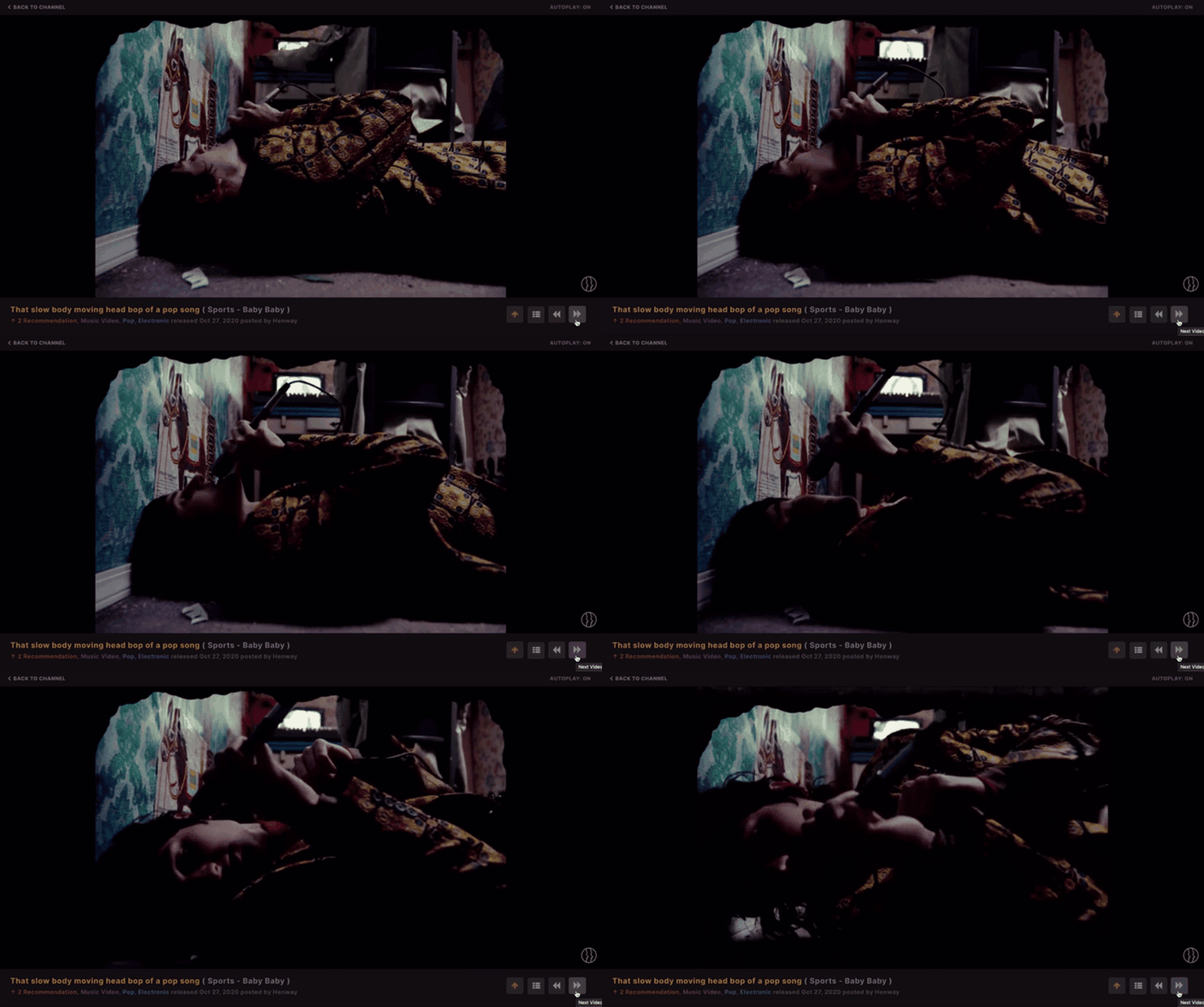
- For a TV‑like experience, enable “TV Mode” from the settings menu. The feed will then play continuously, automatically advancing to the next highest‑voted video. Use the built‑in cast icon to send the stream to a smart TV, Chromecast, or compatible device.
The entire workflow is designed to be frictionless, allowing you to spend more time listening and less time navigating. Because Wacht.TV leans on YouTube’s robust streaming infrastructure, playback is smooth, and you benefit from YouTube’s adaptive bitrate technology for optimal quality on any connection.
Platform Compatibility, Pros & Cons
Compatibility
Wacht.TV runs entirely in a web browser, making it platform‑agnostic. It is fully compatible with Windows 10/11, macOS Ventura and later, Linux distributions, as well as mobile operating systems like Android 8.0+ and iOS 13+. The responsive design ensures that the interface adapts gracefully to various screen sizes, from 13‑inch laptop displays to 6‑inch smartphones. For users who prefer a larger viewing experience, the built‑in cast functionality works with Chrome Cast, Apple AirPlay, and most smart TV browsers, turning any room into a personal music video lounge. Because no native app is required, there are no separate download files, installation steps, or update notifications—simply open the site and you’re always on the latest version.
Pros
- Free & Secure: No hidden fees, and because it uses YouTube’s streaming service, you get industry‑standard security and DRM protection.
- Community‑Driven Curation: Real users upvote content, which surfaces genuinely popular tracks instead of algorithmic suggestions.
- Easy Navigation: Intuitive filtering by New, Mix, Top, and time frames keeps discovery focused.
- TV Mode & Casting: Turn your browser into a continuous music channel that can be projected onto any screen.
- Ad‑Free Experience: The platform relies on community contributions, so you aren’t bombarded with intrusive ads.
Cons
- Lack of Search Function: Users must browse through filters or tags; there’s no dedicated search bar for specific songs or artists.
- No Comment Threads: While this keeps the focus on music, it also removes the ability for deeper discussion or context.
- YouTube‑Only Content: Videos hosted elsewhere can’t be submitted, limiting the pool to what’s available on YouTube.
- Reliance on User Submissions: The quality of the feed depends on active community participation; quieter periods may see fewer fresh recommendations.
Frequently Asked Questions
Is Wacht.TV completely free to use?
Yes, Wacht.TV is a free web app. There are no subscription fees, premium tiers, or hidden costs. All features—including TV Mode and casting—are available to any registered user at no charge.
Can I submit videos from platforms other than YouTube?
No. Wacht.TV only accepts direct YouTube music video URLs. This restriction ensures that every submission includes full audio, official visuals, and reliable streaming performance.
How does the voting system work?
Each video entry displays an up‑arrow and down‑arrow. Clicking the up‑arrow registers an upvote, while the down‑arrow registers a downvote. Votes are aggregated in real time and influence the “Top” leaderboard, which surfaces the most popular videos over the selected time frame.
Is there a mobile app for Wacht.TV?
Currently, Wacht.TV is a web‑only service. However, its responsive design works flawlessly on mobile browsers, and you can add a shortcut to your home screen for an app‑like experience.
Can I cast the playlist to my TV?
Yes. In TV Mode, a cast icon appears in the player controls. Click it to send the stream to any compatible device such as Chromecast, Apple TV, or a smart TV with built‑in casting support.
Conclusion & Call to Action
Wacht.TV fills a unique niche in the crowded world of music streaming by marrying YouTube’s massive video library with a community‑driven recommendation engine. Its clean, Reddit‑style interface makes it simple for anyone to discover fresh tracks, while the TV Mode and casting features turn a browser session into a full‑blown music channel. Although the lack of a search bar and comment threads may feel limiting to power users, the platform’s strengths—free access, ad‑free experience, and real‑time voting—outweigh these minor drawbacks. If you’re tired of algorithmic playlists and want a space where fellow music fans decide what’s worth listening to, Wacht.TV is worth a visit.
Ready to dive into a curated world of music videos? Visit Wacht.TV now, create a free account, and start voting on the tracks that deserve the spotlight. Your next favorite song could be just a click away.
Guides & Tutorials for Wacht TV
How to install Wacht TV
- Click the Preview / Download button above.
- Once redirected, accept the terms and click Install.
- Wait for the Wacht TV download to finish on your device.
How to use Wacht TV
This software is primarily used for its core features described above. Open the app after installation to explore its capabilities.
User Reviews for Wacht TV 0
No reviews found




